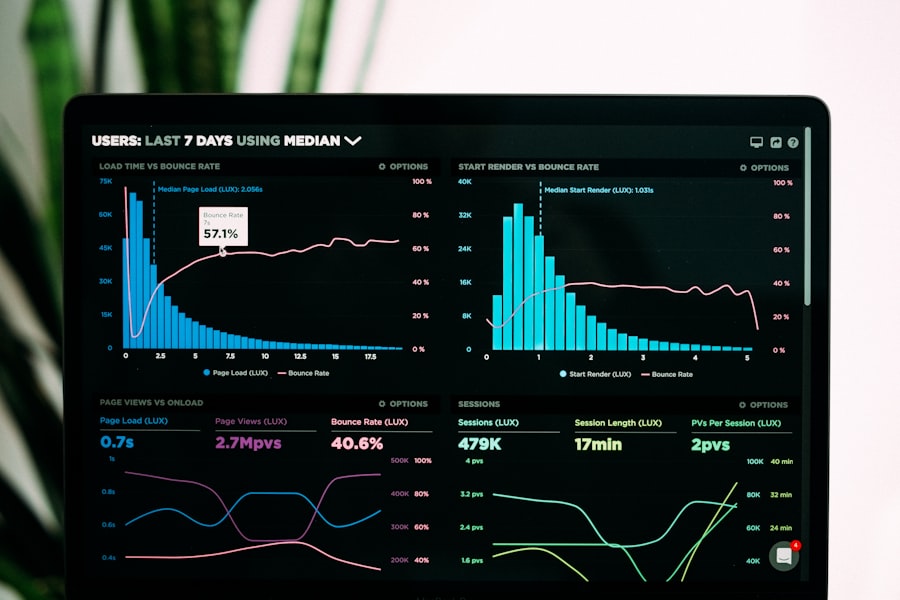
Editorial photograph of a Salesforce procurement team reviewing license utilization data on monitors
Assessment Tools · Salesforce

Every buyer side Salesforce assessment tool, in order.

License utilization, renewal readiness, SELA leverage, compliance audit, and add on rationalization. The complete buyer side toolkit for the Salesforce estate, with the order to run them in.

Open the toolkit Salesforce Hub
7Tools
1Sequence
Industry Recognized
500+ Enterprise Clients
$2B+ Under Advisory
11 Vendor Practices
100% Buyer Side Independent

Most Salesforce estates leak ten to twenty five percent of license spend annually. The leak is split between inactive users, license type mismatch, unused add ons, and over committed multi year deals.

No single tool surfaces all of it. The buyer side toolkit is a sequenced set of seven assessments, each of which closes a known leak.

Read this alongside the Salesforce knowledge hub, the Salesforce services page, and the Salesforce Renewal Playbook.

Key Takeaways

The Salesforce assessment toolkit, in one screen.

  • Seven tools. Each closes a known leak in the Salesforce estate.
  • Sequence matters. Start with utilization. Finish with the renewal war room.
  • Free to run. Every tool is free and runs in the browser.
  • Quarterly cadence. Utilization quarterly, renewal readiness six months out.
  • Admin access required. Most tools need user list, login history, and entitlement data.
  • SELA aware. Two tools are designed specifically for the Enterprise License Agreement.
  • Independent interpretation. Written buyer side interpretation included on request.

Why a toolkit and not a single tool

Salesforce contracts span product clouds, edition tiers, add on SKUs, custom apps, external users, and multi year commitments. No single calculator captures all of it.

The four buyer side measurement angles

  • Usage. Who logs in, how often, and which features they touch.
  • Entitlement. What the contract grants, by product, edition, and add on.
  • Commitment. Multi year SELA structures, true up rules, and minimum spend.
  • Compliance. External user counts, integration users, and API limits.

Each angle has its own measurement methodology. The toolkit covers all four with seven sequenced tools.

The seven tools

Every tool below is free, browser based, and ships with a buyer side interpretation guide.

Tool one. License Utilization Calculator

Surfaces inactive users, license type mismatch, and unused add ons across the estate. The output is a per user, per license type, per add on utilization map.

  • Run it. Open the calculator.
  • Inputs. User list with last login date, license type assignment, add on assignment.
  • Output. Reclaimable licenses by category.

Tool two. License Count Audit

Reconciles entitled counts against deployed counts. Identifies over deployment and under deployment by product cloud.

  • Run it. Open the audit.
  • Inputs. Order form line items, current org allocations.
  • Output. Net license position by product.

Tool three. Compliance Audit Readiness

Scores the estate against the common Salesforce audit triggers including external user, integration user, and API consumption.

  • Run it. Open the readiness check.
  • Inputs. User type counts, integration user list, API call history.
  • Output. Audit readiness score with priority gap list.

Tool four. Renewal Readiness Scorecard

Procurement led check on negotiation leverage twelve months before renewal. Surfaces the contract clauses that drive uplift exposure.

  • Run it. Open the scorecard.
  • Inputs. Contract calendar, current discount, multi year commitment status.
  • Output. Leverage score and recommended negotiation moves.

Tool five. SELA Leverage Toolkit

Designed for the Salesforce Enterprise License Agreement. Covers product carve outs, true up math, and the discount curve over the commitment.

  • Run it. Open the toolkit.
  • Inputs. Current SELA scope, deployment forecast, alternative platform option.
  • Output. Negotiation plan for the SELA renewal or restructure.

Tool six. Add On Rationalization Map

Identifies under utilized add on SKUs including CPQ, Field Service, Industries Cloud, and AppExchange add ons.

  • Run it. Open the add on map.
  • Inputs. Add on assignment list, usage telemetry where available.
  • Output. Drop or keep recommendation per add on.

Tool seven. Discount Benchmark

Benchmarks your effective discount against the buyer side comparable set for your spend tier, term length, and product mix.

  • Run it. Open the benchmark.
  • Inputs. Effective per user pricing, term length, product mix.
  • Output. Buyer side discount range for your profile.

The recommended sequence

Tools run in a defined sequence because each one informs the next. Running them out of order produces partial answers and missed leverage.

Recommended toolkit sequence

Step Tool Why this position
1License Utilization CalculatorSurfaces the biggest single leak first
2License Count AuditConfirms entitlement vs deployment
3Add On Rationalization MapCloses the add on leak before pricing work
4Compliance Audit ReadinessDefangs the audit lever before negotiation
5Discount BenchmarkSets the price ceiling for renewal
6SELA Leverage ToolkitRequired for multi year deals
7Renewal Readiness ScorecardFinal go to negotiation checklist

Run the seven tools in sequence and you walk into the renewal conversation with five different leverage points already documented.

Cadence and reassessment

The tools are not a single annual exercise. Each one has a recommended cadence calibrated to how fast the underlying data changes.

Quarterly

  • License Utilization Calculator. Login data moves every quarter.
  • Add On Rationalization Map. Add on adoption changes with feature releases.

Semi annual

  • License Count Audit. Run six months before each renewal.
  • Compliance Audit Readiness. Run six months before each renewal.

Annual or pre commitment

  • Discount Benchmark. Run twelve months before any pricing event.
  • SELA Leverage Toolkit. Run twelve months before SELA renewal or restructure.
  • Renewal Readiness Scorecard. Run twelve months before contract anniversary.

What to do next

  1. Pull the current Salesforce user list with last login dates.
  2. Run the License Utilization Calculator against that list.
  3. Document the reclaimable license count by category.
  4. Run the License Count Audit on entitled versus deployed counts.
  5. Schedule the remaining five tools on the cadence above.
  6. Build the renewal calendar with each tool slotted in.
  7. Engage Redress for the written buyer side interpretation.

Frequently asked questions

Which Salesforce assessment tool should I run first?

Start with the License Utilization Calculator. It surfaces inactive users, license type mismatches, and unused add ons. The output drives the rest of the assessment plan including renewal readiness, SELA leverage, and audit defense readiness.

Are these tools free to run?

Yes. Every assessment tool on this page is free to run. You enter the inputs, you receive the result, and a Redress partner offers a written interpretation on request.

How accurate is the License Utilization Calculator?

The calculator is accurate to plus or minus five percent for utilization assuming you provide thirty days of login data. Pricing leverage estimates carry a wider range because they depend on the negotiated discount curve.

Do I need a Salesforce admin to run the tools?

Most tools require admin level access to user list data, login history, and product entitlements. The Renewal Readiness scorecard can be run by procurement alone using contract data.

Can the tools handle a SELA?

Yes. The SELA Leverage Toolkit and the Renewal War Room Checklist are designed for the Salesforce Enterprise License Agreement. They cover product carve outs, true up math, and discount curve negotiation.

How often should I rerun the tools?

License Utilization quarterly. Renewal Readiness six months before each renewal. SELA Leverage twelve months before a multi year commitment. Compliance Audit Readiness annually or after any major user count change.

How Redress engages on Salesforce

Redress runs Salesforce advisory inside the Vendor Shield subscription. Every engagement is led by a senior Salesforce commercial lead on the buyer side. Read the Salesforce hub, the Salesforce services page, the Salesforce Renewal Playbook, and the CIO Playbook.

Editorial photograph of a procurement team running Salesforce utilization analysis on dual monitors
Start with the Salesforce License Utilization Calculator.
Open the calculator →
500+
Enterprise Clients
$2B+
Under Advisory
11
Vendor Practices
100%
Buyer Side
Industry
Recognized

Walk into the Salesforce renewal with five leverage points already documented. The toolkit does that work for you.

Morten Andersen
Co Founder, ex IBM, ex Oracle
Salesforce renewal in the next twelve months?
Request a Buyer Side Review
White Paper · Salesforce

Download the Salesforce Renewal Playbook.

Buyer side playbook on the Salesforce renewal cycle and license rationalization.

Independent. Buyer side. Written for CIOs, CFOs, and procurement leaders carrying enterprise software contracts. No vendor influence. No sales kickback.

Salesforce Renewal Playbook

Open the white paper in your browser. Corporate email only.

Open the Paper →
More Reading

More from this practice.

Salesforce Hub →
Salesforce license utilization calculator
Salesforce · Tool
License Utilization Calculator
Surface inactive users and unused add ons across the Salesforce estate.
5 min run
Salesforce renewal war room
Salesforce · Checklist
Renewal War Room Checklist
The buyer side checklist for the Salesforce renewal cycle.
8 min read
Salesforce discount benchmarks
Salesforce · Benchmark
Salesforce Discount Benchmarks
Buyer side comparable set for Salesforce effective pricing.
12 min read
Salesforce advisory services
Salesforce · Services
Salesforce Advisory Services
Independent buyer side advisory across the Salesforce estate.
10 min read
Boardroom interior at twilight with leather chairs and a long wooden table

Run the toolkit, walk in with leverage.

Independent buyer side advisory on every Salesforce commercial event. Renewal, SELA, audit, or new commitment.

Stay close to the buyer side.

Monthly intelligence on enterprise software vendors, audit risk, and renewal economics.