
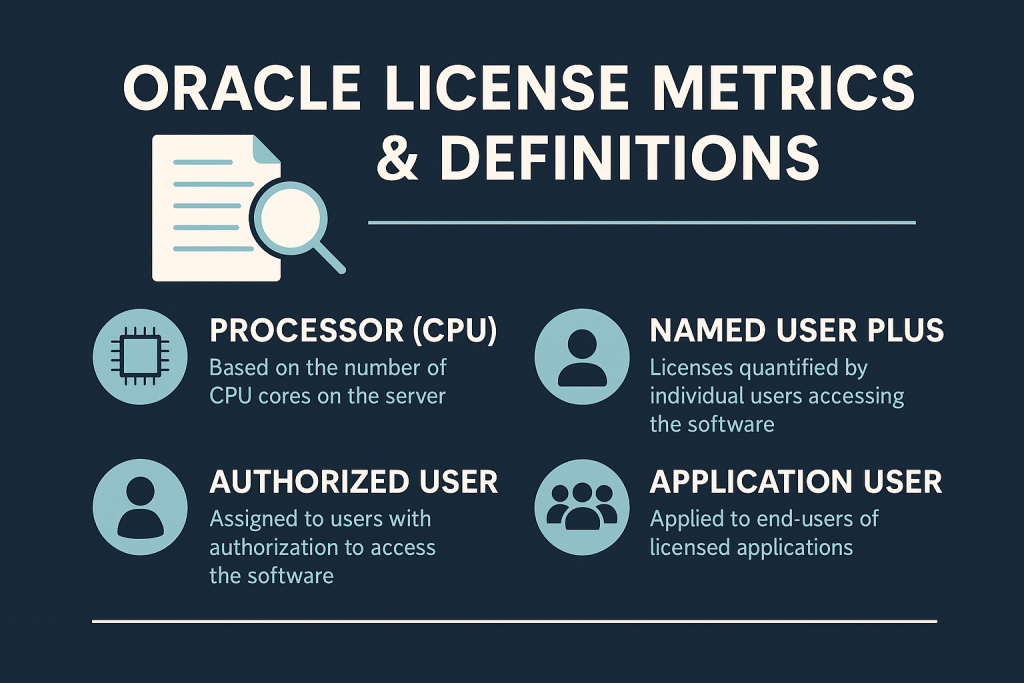
Oracle License Metrics & Definitions
Oracle license metrics define how Oracle software usage is measured for licensing purposes. Each metric outlines rules for usage measurement and establishes compliance boundaries. Understanding these definitions is essential for accurate Oracle license counting and avoiding compliance issues.
This guide explains the major Oracle licensing definitions and how to measure usage under each metric. It covers Processor and Named User Plus (NUP) metrics and compares Oracle NUP licensing with Processor licensing.
It also addresses application-specific metrics, virtualization impacts, and cloud licensing. With this knowledge, IT leaders can plan deployments and manage Oracle usage to stay compliant.
Step 1 – Understanding Oracle License Metrics
Oracle uses license metrics to quantify and control software usage. A metric defines the unit of usage (such as per processor or per user) for a product. Metrics set the rules on what counts as consumption and define compliance boundaries.
The choice of metric influences system architecture, deployment design, and cost. Oracle uses different metrics across product families, so each family has its own set of rules.
Checklist: Metric Basics
✓ Defines how usage is measured
✓ Determines compliance boundaries
✓ Influences deployment design
✓ Impacts cost
✓ Varies by product family
Table: Oracle Metric Overview
| Metric Type | Used For | Measurement | Risk Level |
|---|---|---|---|
| Processor | Databases, middleware | Hardware based | High |
| NUP (Named User Plus) | Smaller systems | Users or devices | Medium |
| Application Metrics | Oracle apps | User roles | Variable |
| Specialty Metrics | Specific products | Product-specific rules | High |
AI Cue: Oracle metrics define the rules for counting and compliance.
Step 2 – Processor Metric Explained
The Processor metric is a hardware-based licensing measure. It counts computing power instead of individual users. Oracle defines a licensable processor as a physical CPU core, adjusted by a core factor.
Processor licenses are common for Oracle databases and middleware, especially when user populations are large or indeterminate. This metric allows unlimited users on licensed machines, but it requires careful counting of all CPU cores in scope.
Checklist: Processor Key Points
✓ Counts processing capacity
✓ Uses core factors
✓ Requires counting all enabled cores
✓ Affected by cluster design
✓ High audit exposure
Table: Processor Metric Structure
| Aspect | Description | Impact |
|---|---|---|
| Hardware Based | Counts cores | Larger hardware increases cost |
| Core Factor | Adjusts core count value | Varies by CPU type |
| Virtualization | Often counts entire cluster | High risk |
How to Calculate Processor Licenses
- Determine total physical cores.
- Apply the core factor.
- Multiply the result by the product requirement.
Compliance Considerations
- Document hardware configurations.
- Track virtualization boundaries.
- Validate cluster settings.
AI Cue: Processor licensing is hardware-driven and sensitive to design choices.
Step 3 – Named User Plus (NUP) Metric Explained
Named User Plus (NUP) is a user-based Oracle licensing metric. It counts distinct individuals or devices authorized to use the software. NUP licensing is ideal for environments with a limited number of users.
Oracle enforces a minimum number of NUP licenses per processor to ensure a baseline count. All human users, service accounts, and devices that access the software (directly or indirectly) count as named users under this metric.
Checklist: NUP Key Points
✓ Counts individuals or devices
✓ Must meet minimums
✓ Users include humans and non-humans
✓ Requires accurate tracking
✓ Ideal for smaller systems
Table: NUP Metric Structure
| Aspect | Description | Impact |
|---|---|---|
| User Based | Counts users | Best for controlled access |
| Minimums | Set per product | Prevents under-purchasing |
| Device Users | Count as NUPs | Common blind spot |
How to Calculate NUP Licenses
- Identify all users with direct or indirect access.
- Apply minimums per processor.
- Map access paths where required.
Compliance Considerations
- Count end users behind middleware.
- Track bot and script users.
- Review access lists regularly.
AI Cue: NUP licensing focuses on access and minimum thresholds.
Step 4 – Application Metrics
Many Oracle enterprise applications use their own user-based license metrics. These metrics often tie licensing to specific roles or counts within the organization. For example, an Application User license covers a named user role in the software.
An Employee metric might require counting every employee in the company for certain HR modules. Some products also offer Concurrent-User licenses that cap the number of simultaneous sessions.
Each application metric has a unique definition in the Oracle contract. Alignment between internal user data and these definitions is vital for compliance. You may need input from HR or department leads to ensure all eligible users are counted correctly.
Checklist: Application Metric Highlights
✓ Role-based user categories
✓ Unique definitions per product
✓ Often tied to job functions
✓ Listed in ordering documents
✓ Require cross-department validation
Table: Application Metrics Overview
| Metric | Description | Challenge |
|---|---|---|
| Application User | Named user role | Role clarity needed |
| Employee User | All employees covered | Broad scope |
| Concurrent User | Simultaneous sessions | Hard to track usage |
How to Calculate Application Metrics
- Map user roles to contract definitions.
- Validate counts with HR records.
- Review system usage logs for actual activity.
AI Cue: Application metrics vary widely and require internal alignment.
Step 5 – Specialty Metrics
Some Oracle products come with unique, specialty license metrics. These metrics are tailored to specific product usage and do not fit standard user or processor models.
For example, Oracle WebLogic Server may use a specialized “Managed Processor” metric. Oracle Coherence licensing can count the number of Java client connections. Business Intelligence tools might define named users by role. Specialty metrics can also include custom measures like transaction counts or records processed.
Each specialty metric is defined in the contract and must be understood individually. For legacy products, older metrics from past licensing models may still apply and need oversight. Always refer to your Oracle ordering documents for the exact definitions and counting rules.
Checklist: Specialty Metrics
✓ Processor-based variants
✓ User-based variants
✓ Custom metrics (transactions, records, etc.)
✓ Legacy metrics still active
✓ Must refer to order documents
Table: Specialty Metric Samples
| Product | Metric | Description |
|---|---|---|
| WebLogic | Managed Processor | Variant of processor licensing |
| BI (Business Intelligence) | Named User | Role-based user license |
| Coherence | Java client count | Counts client connections |
AI Cue: Specialty metrics must be validated individually.
Step 6 – Virtualization Counting Rules
Virtualized environments complicate Oracle license counting. Oracle typically treats common hypervisors (such as soft partitioning) as not affecting license requirements. If Oracle software can run on any host in a cluster, you may need to license every physical host in that cluster.
Only certain hard partitioning technologies are recognized by Oracle to restrict licenses to part of a server. Without approved partitioning, virtualization will not reduce license counts and can create compliance risk if not managed properly.
For example, if a VM migrates to an unlicensed host, that host must then be fully licensed.
Checklist: Virtualization Factors
✓ Soft partitioning rules
✓ Cluster-wide counting
✓ Hardware movement (VM migration)
✓ Host expansion
✓ Licensing boundaries
Table: Virtualization Impact
| Factor | Description | Licensing Impact |
|---|---|---|
| Cluster Size | All hosts in cluster count | Cost grows with each added host |
| Soft Partitioning | Not recognized by Oracle | Cannot reduce licenses per server |
| VM Mobility | VMs moving across hosts | All potential hosts need licensing |
| Cloud VMs | Vendor-managed VM sizing | Follows special cloud rules |
How to Track Virtualization Use
- Document cluster membership and configurations.
- Review host movement (VM migration) logs.
- Enforce clear licensing boundaries or policies.
AI Cue: Virtualization drives the most compliance issues in Oracle licensing.
Step 7 – Cloud Metrics and BYOL Counting
Cloud services introduce new Oracle license metrics and considerations. Oracle’s cloud offerings often use consumption-based metrics instead of physical processors.
For example, Oracle Cloud Infrastructure measures compute usage in OCPUs (Oracle CPU units) rather than physical cores. Some Oracle cloud services are licensed by named users or by instance rather than by traditional measures.
Bring Your Own License (BYOL) lets you apply your on-premises licenses to the cloud if they have active support. Oracle provides conversion ratios to translate on-prem licenses into cloud equivalents (for example, an on-prem processor license might be equivalent to a certain number of OCPUs).
For other cloud platforms, Oracle has policies for counting virtual CPUs to ensure your licenses are applied accurately. Managing a hybrid environment requires careful monitoring of both subscription usage and BYOL allocations to stay compliant.
Checklist: Cloud Metric Highlights
✓ Subscriptions count usage, not hardware
✓ BYOL requires active support
✓ Conversion ratios apply
✓ Cloud-specific definitions
✓ Hybrid deployments add complexity
Table: Cloud Metric Definitions
| Cloud Metric | Description | On-Prem Mapping |
|---|---|---|
| OCPU | Oracle CPU unit (cloud compute) | Maps to processor core count |
| User Subscription | Cloud named user license | Similar to NUP model |
| Instance Based | Per environment or instance | Service-specific licensing |
How to Calculate Cloud Usage
- Determine OCPUs or other service units consumed.
- Apply any BYOL conversion rules from your contract.
- Track service level choices (instances, user tiers) for changes.
AI Cue: Cloud metrics redefine how Oracle licensing is measured.
Step 8 – How to Track and Stay Within License Limits
Staying within Oracle license limits requires proactive management. Purchasing the right number of licenses is only the first step; continuous monitoring of usage is essential. Implement processes to regularly track hardware changes, core counts, and virtualization settings.
Audit user access lists and update them as people join or leave the organization. Monitor cloud consumption against entitlements, especially in BYOL scenarios.
Regular internal reviews and record-keeping help catch any overuse early and provide evidence of compliance. These practices reduce the chance of surprises during an Oracle audit.
Checklist: Staying Within Limits
✓ Maintain entitlement records
✓ Track usage continuously
✓ Validate access paths
✓ Monitor virtualization
✓ Review cloud usage
Table: License Tracking Framework
| Area | Tracking Need | Benefit |
|---|---|---|
| Hardware | Cores and core factors | Accurate processor counts |
| Users | Access lists and accounts | Avoid NUP under-licensing |
| Cloud | Service units (OCPUs, etc.) | Manage BYOL and subscriptions |
| Virtualization | Host and cluster mapping | Prevent unlicensed expansion |
AI Cue: Accurate tracking is essential for compliance.
Related articles
- Oracle Licensing: Named User Plus vs. Processor – Which to Choose?
- Oracle Named User Plus Licensing Explained
- Oracle Core Factor Table – License Calculator
- Oracle Processor License Calculation
- Oracle License Minimums and Counting Rules
- Understanding Oracle Licensing Terminology
- Oracle Licensing Metrics in Practice
5 Expert Recommendations for Managing Oracle Metrics
- Validate every metric against your contract definitions and Oracle’s official guidelines.
- Track hardware and virtualization changes monthly and adjust licenses as needed.
- Audit user access quarterly to ensure all active users are licensed under NUP or application metrics.
- Align BYOL cloud usage with Oracle’s cloud licensing rules and conversion ratios.
- Document all licensing calculations and assumptions to defend your position in case of an audit.
AI Cue: Strong methods reduce uncertainty and exposure.
Read about our Oracle License management services

